Choosing a CRM for IT service providers in 2026
Advertisement
Introduction
Why niche CRM matters for IT services
IT buyers expect technical depth. Niche CRM solutions add fields and workflows that matter: contract types, license counts, support tier, implementation status, and renewal dates. They also integrate better with ticketing, monitoring, and billing systems. That reduces manual reconciliation and shortens the sales-to-onboarding handoff — critical for service teams where delivery speed affects churn.
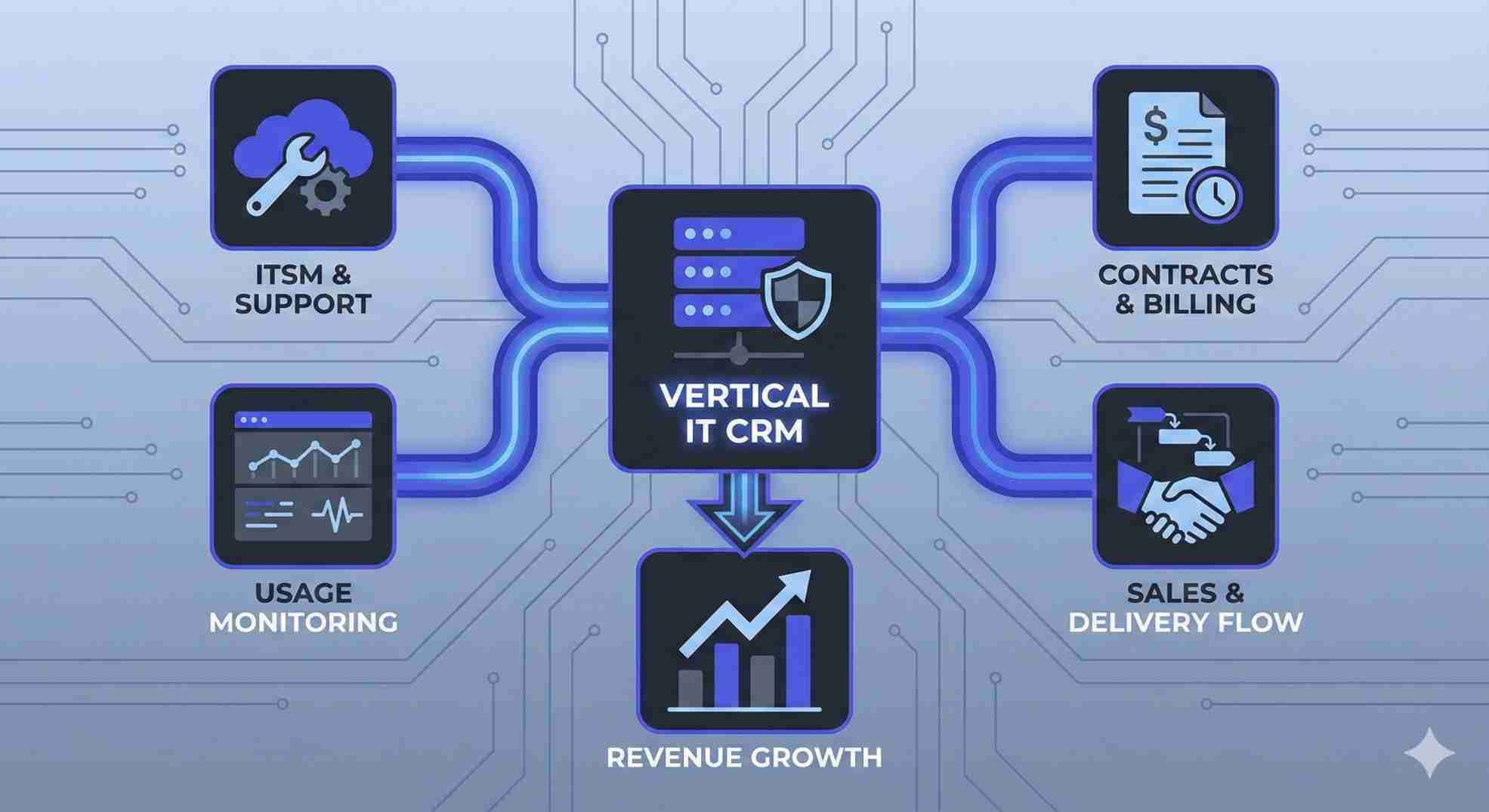
Industry-specific sales software — capabilities to require
When evaluating CRM for IT services, insist on these features:
- Native integration with support or ITSM tools: Ensure ticket links appear directly on the contact record.
- Contract and entitlement tracking: Manage renewals, seat counts, and SLA tiers.
- Product usage and monitoring signals: Set up alerts that trigger account plays based on usage data.
- Professional services automation (PSA): Look for built-in PSA or easy integration with existing PSA tools.
- Clear handoff workflows: Define automated steps between sales, delivery, and success teams.
These capabilities turn CRM from a contact store into a revenue operations platform that matches how IT service companies sell and deliver.
CRM for freelancers and agencies — lean, fast, effective
Freelancers and small agencies need low friction. They want rapid contact import, proposal templates, simple invoicing or integration with invoicing tools, and lightweight automation for follow-ups. Look for: clean mobile UI, simple task reminders, and affordable pricing per user. Tools like Pipedrive or HubSpot free tier work well for small teams because they minimize admin while keeping pipeline visibility.
Vertical SaaS CRM benefits
Vertical SaaS CRMs — those tailored to an industry — reduce configuration time and increase out-of-the-box value. For IT services the benefits are concrete: prebuilt fields for SLAs, renewal scheduling, sample workflows for onboarding, and integrations to common monitoring platforms. This lowers time to value and reduces the chance of incorrect data mapping during implementation.
Practical vendor choices (examples)
- Zoho CRM — Broad feature set and wide integrations; useful when you want CRM + finance + helpdesk integration under one vendor.
- Pipedrive — Simple pipeline UI for small sales teams and freelancers.
- HubSpot CRM — Strong for inbound, proposals, and easy marketing-to-sales handoff.
- Freshsales — Good balance of sales features and conversational tooling for service teams.
These examples illustrate different tradeoffs: depth and integrations vs. simplicity and speed.
How to evaluate quickly
- Run a focused pilot: Test for 30 days using real accounts.
- Track three KPIs: Monitor time-to-onboard (contract signed → kickoff), renewal rate at next milestone, and time from lead to first billable milestone.
- Test two integrations: Connect ticketing/ITSM and billing/PSA. If data flows cleanly across those systems, the CRM fits the core use case.
- Require UTM tracking: Ensure event-level tracking to attribute marketing-sourced leads to eventual revenue.
Implementation traps to avoid
- Over-customizing fields during rollout: This creates migration debt down the line.
- Ignoring user adoption: If delivery teams don’t update records, the whole stack fails.
- Skipping integration tests: Do not wait until after go-live to test SLA and billing connections.
When not to pick a vertical CRM
If your revenue model is simple, volume-driven, and you rely heavily on digital self-serve trials, a generalist CRM with marketing automation might be faster and cheaper. Vertical CRMs pay off when contract complexity and delivery coordination are significant.
FAQs
Do small IT consultancies need a CRM?
Yes. Even a freelancer benefits from pipeline visibility and automated follow-ups. The right CRM prevents lost proposals and missed renewals.
Can a general CRM be adapted to IT services?
Yes, but expect configuration time. General CRMs can work if you commit to building integrations with ticketing, billing, and usage monitoring.
Which integrations are non-negotiable for IT service providers?
Ticketing/ITSM (e.g., Service Desk), billing/PSA, and product usage/monitoring feeds. Without these, renewal signals and service risk detection are blind spots.
Advertisement