10 Best Cloud Document Management Systems for Small Businesses (2026)
Advertisement
10 Best Document Management Systems (DMS) for Small Business in 2026
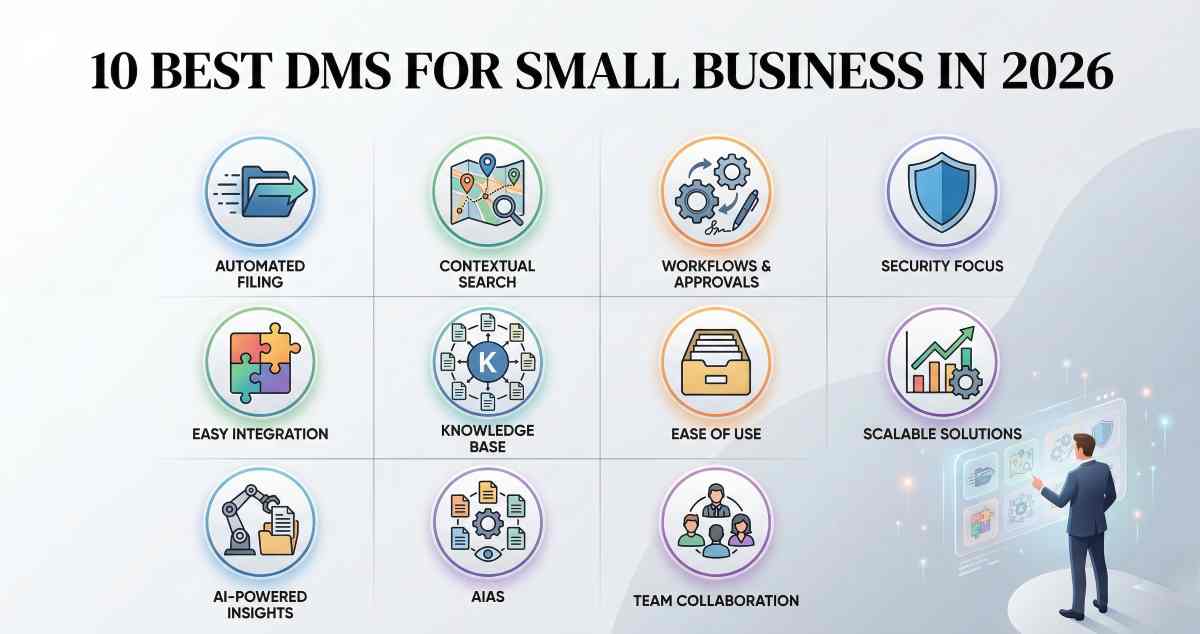
The shift toward "intelligent" document management is no longer a luxury reserved for the Fortune 500. In 2026, small businesses are moving away from simple cloud storage folders—which often become "digital graveyards"—and toward systems that actually understand the data they hold. A modern Document Management System (DMS) does more than store a PDF; it automates the filing, secures the sensitive metadata, and triggers the next step in a business workflow without human intervention.
For a small business, the ideal DMS must balance powerful automation with an intuitive interface that doesn't require a dedicated IT department to maintain. Based on current market performance, user satisfaction metrics, and architectural sophistication, here are the ten best cloud-based solutions for 2026.
1. Revver (Formerly eFileCabinet)
Best For: Businesses with high document volumes looking for fast ROI.
Key Strength: Intelligent automation that eliminates manual data entry.
2026 Pricing: Tiered pricing typically starting around $30 to $50 per user, though custom quotes are standard.
Revver remains the gold standard for small-to-midsize businesses that need a "zero-effort" filing system. Its standout feature in 2026 is its AI-powered "Smart Filing," which uses optical character recognition (OCR) and machine learning to recognize a document type (like an invoice or a contract) and automatically place it in the correct folder with the appropriate tags.
2. M-Files
Best For: Companies in regulated industries (Legal, Finance, Healthcare) that require strict version control.
Key Strength: Finding information through context rather than folder paths.
2026 Pricing: Custom enterprise-grade pricing tailored for SMB growth.
M-Files has revolutionized the industry by championing a "metadata-first" approach. Unlike traditional systems that force you to remember where you saved a file, M-Files allows you to find documents based on what they are. If you search for "Client X" and "Contract," the system surfaces the relevant file regardless of its physical location in the cloud.
3. DocuWare
Best For: Workflow-centric teams that need to automate approvals and signatures.
Key Strength: Seamless integration with over 500 third-party applications.
2026 Pricing: Cloud plans vary by storage and user count; often starts with a base "Cloud 4" plan.
DocuWare is the preferred choice for businesses looking to digitize paper-heavy workflows, particularly in Accounting and HR. In 2026, its "Intelligent Indexing" service has become remarkably accurate, capable of capturing data from scanned invoices and automatically routing them for approval based on dollar amount or vendor.
4. Google Workspace (Drive)
Best For: Startups and creative teams that prioritize real-time co-authoring.
Key Strength: Unmatched search speed and universal accessibility.
2026 Pricing: Business Starter starts at approximately $6 per user per month.
While technically a collaboration suite, Google Workspace has evolved its document management capabilities to satisfy most small business needs. The 2026 update to "Gemini for Workspace" provides deep semantic search, allowing users to ask questions like, "What were the terms of the lease we signed last May?" and receive the specific document and a summary of the answer.
5. Microsoft SharePoint
Best For: Microsoft 365 power users needing complex permission hierarchies.
Key Strength: Deep integration with Teams, Outlook, and Excel.
2026 Pricing: Included in M365 Business plans; standalone starts around $5 per user per month.
For teams already living in the Microsoft 365 ecosystem, SharePoint is the logical backbone. It provides the deep governance and permission structures that standard OneDrive lacks. In 2026, the integration with Microsoft Copilot allows for automated document tagging and the creation of "Knowledge Centers" that aggregate departmental data automatically.
6. Box
Best For: Security-conscious businesses handling external client files.
Key Strength: Enterprise-grade security with a consumer-grade user experience.
2026 Pricing: Business plans start at approximately $15 per user per month.
Box has transitioned from a simple storage provider to a high-security "Content Cloud." Its "Box Relay" feature is particularly valuable for small businesses, allowing users to build custom no-code workflows. For example, when a client uploads a file to a secure Box folder, the system can automatically request a digital signature and then archive the executed copy.
7. Notion
Best For: Small, agile teams that want a highly customizable workspace.
Key Strength: Flexibility in organizing text, media, and files in a single view.
2026 Pricing: Plus plan starts at roughly $10 per user per month.
Notion is the "wildcard" on this list, acting as a hybrid between a DMS, a wiki, and a project management tool. It is ideal for small businesses that don't just want to store files, but want to build a living knowledge base around them. Its database views allow you to treat your document library like a structured gallery or a filtered list.
8. Folderit
Best For: Teams that want a simple, secure digital filing cabinet.
Key Strength: Ease of use and transparent, affordable pricing.
2026 Pricing: Various tiers; often the most cost-effective for teams under 10 people.
Folderit is arguably the most user-friendly DMS for non-technical teams. It focuses on doing the basics—search, storage, and e-signatures—exceptionally well without the bloat of enterprise software. Its "bank-level" encryption and affordable pricing make it a favorite for small non-profits and local service businesses.
[Image comparing simple folder structure vs metadata-tagged file organization in a DMS]
9. Egnyte
Best For: Firms dealing with large file sizes or requiring hybrid data governance.
Key Strength: High-performance file access and advanced content governance.
2026 Pricing: Business plans typically start around $20 per user per month.
Egnyte provides a unique "hybrid" cloud approach that is perfect for businesses with large files (like video production or architecture firms). It allows for local caching of large files for fast editing, while the metadata and permissions are managed in the cloud. This ensures that even with a slow internet connection, your document management remains responsive.
10. MetaDoc
Best For: Forward-thinking SMBs that want AI to handle the administrative heavy lifting.
Key Strength: Proactive document intelligence and automated indexing.
2026 Pricing: Competitively priced for growth-stage companies; often custom quotes.
A newer entrant that has gained significant traction in early 2026, MetaDoc is built from the ground up on Agentic AI. It doesn't just store files; it "reads" them and provides proactive insights. If it notices a contract is about to expire based on its internal clock, it will notify the owner and suggest a renewal template.
The Decision Matrix: Choosing the Right Fit
When selecting a system, the primary question isn't "Which has the most features?" but "Where does my team currently spend their time?" If your team is losing hours to manual data entry, Revver or DocuWare are the clear winners. If your "Search" function is broken because people can't remember file names, M-Files will solve your problem. For those who simply need a secure, collaborative space, Google Workspace or Box remains the safest bet.
FAQs
What is the difference between Cloud Storage and a DMS?
Cloud storage (like personal Dropbox) is a passive repository that syncs files. A DMS is an active system that manages the document's lifecycle, including versions, metadata, audit trails, and automated approval workflows.
How does AI help in document management in 2026?
In 2026, AI is used for "Intelligent Document Processing." It automatically extracts data, tags documents, summarizes contracts, and predicts document needs based on workflows.
Is it difficult to migrate from folders to a DMS?
Modern DMS platforms offer auto-import tools that scan existing folders and suggest metadata. This reduces manual migration effort significantly.
Advertisement