SharePoint vs. Google Drive vs. Dropbox: Which is Best for Document Management?
Advertisement
A Document Management System (DMS) is a centralized software framework used to track, manage, and store digitized documents, ensuring regulatory compliance and data integrity through versioning, metadata, and automated workflows. While many users treat SharePoint, Google Drive, and Dropbox as simple cloud storage buckets, the reality in 2026 is far more nuanced. Choosing between them isn't just about price per gigabyte; it is a strategic decision regarding how your organization's intellectual property is structured, discovered, and protected.
As teams move away from traditional folder hierarchies toward AI-assisted data retrieval, the "best" platform is the one that minimizes friction while maximizing governance. In this guide, we break down the engineering and functional differences between the three giants of the content collaboration space.
Table of Contents
- SharePoint: The Enterprise Infrastructure King
- Google Drive: The Real-Time Collaboration Specialist
- Dropbox: The Sync and Multi-Platform Master
- The Metadata Gap: Why Folders are Fading
- AI Integration: Copilot vs. Gemini vs. Dash
- Security and Compliance Standards
- The Final Decision Matrix
I. SharePoint: The Enterprise Infrastructure King
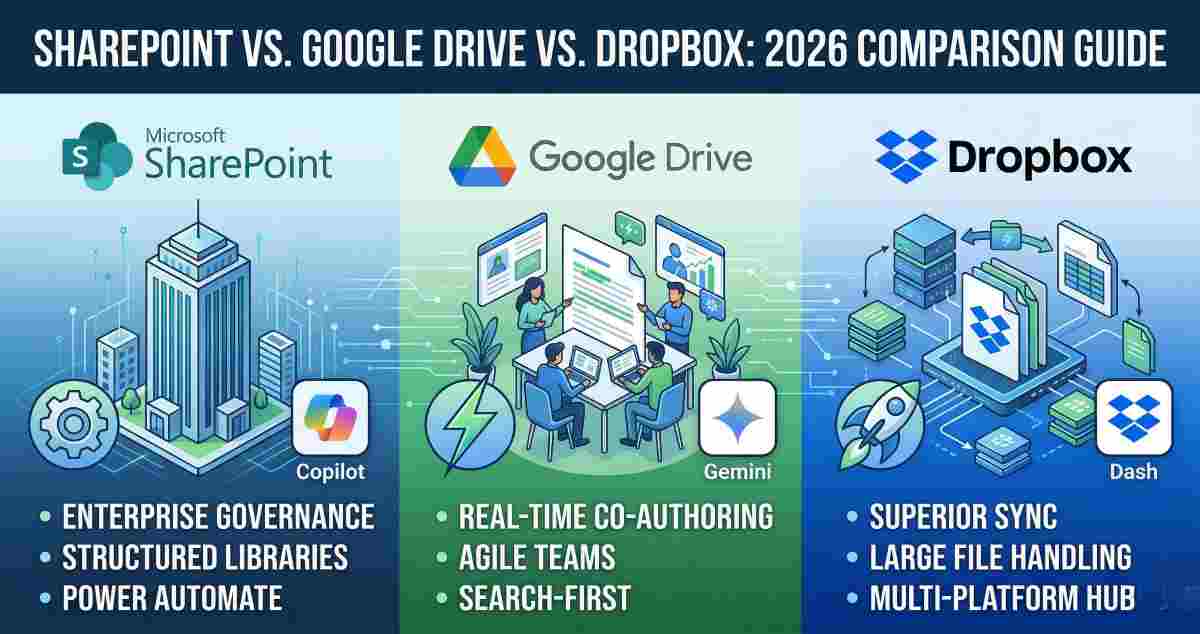
SharePoint is often misunderstood as a "cloud drive." In reality, it is a web-based application platform that functions as a sophisticated Electronic Document Management System (EDMS). For organizations already deeply embedded in the Microsoft 365 ecosystem, SharePoint is the structural backbone that feeds into Teams, Outlook, and Power BI.
Key Strength: Granular Structure
Unlike a simple list of files, SharePoint uses "Sites" and "Document Libraries." This allows IT administrators to build an intranet where documents are contextualized by department or project. Its check-in/check-out feature prevents "version chaos" in high-stakes environments—such as legal firms or engineering teams—ensuring that only one person can edit a master document at a time while others remain in "read-only" mode.
The Power Automate Edge
SharePoint’s greatest advantage in 2026 is its native integration with Power Automate. You can build complex logic where a document uploaded to a "Marketing" library automatically triggers a multi-stage approval process, generates a PDF copy, and notifies a specific analyst via Teams once the task is complete.
II. Google Drive: The Real-Time Collaboration Specialist
If SharePoint is a fortress, Google Drive is a high-speed highway. Google Workspace has long held the crown for real-time co-authoring. In a 2026 environment where remote and hybrid teams are the norm, the "frictionless" nature of Google Drive makes it the preferred tool for agile startups and creative agencies.
Seamless Collaboration
Google Drive excels at "unstructured" collaboration. The ability for ten people to edit a spreadsheet simultaneously without lag remains its primary selling point. For a digital analyst tracking live campaign data or a social media team drafting content calendars, the immediate feedback loop of Google Docs and Sheets is superior to the slightly more rigid "Office Online" experience.
The "Search-First" Philosophy
Google Drive relies less on strict folder organization and more on its world-class search engine. In 2026, enhanced search chips and "Smart Canvas" features allow users to find files based on who mentioned them in a meeting or which project they were attached to in a Google Calendar invite.
III. Dropbox: The Sync and Multi-Platform Master
Dropbox has evolved from a simple "box in the sky" into a specialized platform for professional content flows. While it doesn't have the "office suite" muscle of Microsoft or Google, it prides itself on being the "neutral" hub that plays well with everyone.
Sync Performance and Large Files
For professionals working with heavy assets—think 8K video files or massive CAD files—Dropbox’s block-level sync is the gold standard. Instead of re-uploading an entire file after a minor edit, Dropbox only syncs the specific data blocks that changed.
Dropbox Dash and Replay
Dropbox Replay allows time-stamped feedback on video files, while Dropbox Dash acts as a universal AI search tool across multiple apps.
IV. The Metadata Gap: Why Folders are Fading
The biggest technical differentiator in document management is the use of metadata.
SharePoint uses structured tagging through content types and columns, enabling flexible organization without moving files.
Google Drive and Dropbox rely more on folders and tags, which lack enforcement for structured classification.
V. AI Integration: Copilot vs. Gemini vs. Dash
In 2026, AI defines productivity.
- Microsoft Copilot can summarize entire document libraries.
- Google Gemini assists with drafting and data visualization.
- Dropbox Dash enables cross-platform search and discovery.
VI. Security and Compliance Standards
Security remains critical for regulated industries.
- SharePoint offers advanced compliance via Microsoft Purview.
- Google Drive provides Vault for retention and e-discovery.
- Dropbox includes account rollback features for ransomware recovery.
VII. The Final Decision Matrix
| Feature | SharePoint | Google Drive | Dropbox |
|---|---|---|---|
| Best For | Large Enterprises / Governance | Startups / Agile Teams | Creatives / Large Media |
| Structure | Metadata-Driven Libraries | Folder-Based / AI Search | Automated Folders / Tags |
| Sync Speed | Standard | Standard | Superior |
| AI Tool | Microsoft Copilot | Google Gemini | Dropbox Dash |
| Complexity | High | Low | Very Low |
Verdict:
Choose SharePoint if you need rigid document control, strict compliance, and complex automation.
Choose Google Drive if your team prioritizes speed, real-time collaboration, and ease of use.
Choose Dropbox if you work with large files and need high-performance syncing.
Frequently Asked Questions (FAQs)
1. Can I use SharePoint metadata on my mobile device?
Yes. The SharePoint mobile app and OneDrive allow metadata editing, though desktop provides more control.
2. Does Google Drive support File Locking like SharePoint?
Google Drive offers limited file locking for non-native files through its web interface.
3. Is Dropbox secure enough for HIPAA or GDPR compliance?
Yes. Dropbox Business plans support compliance with necessary controls and agreements.
Advertisement