A Step-by-Step Guide to a Successful HRIS Implementation
Advertisement
A successful rollout typically spans 6 to 14 weeks for small to mid-sized businesses. To stay on the shorter end of that window, you need a disciplined, phased approach that prioritizes data integrity and stakeholder buy-in.
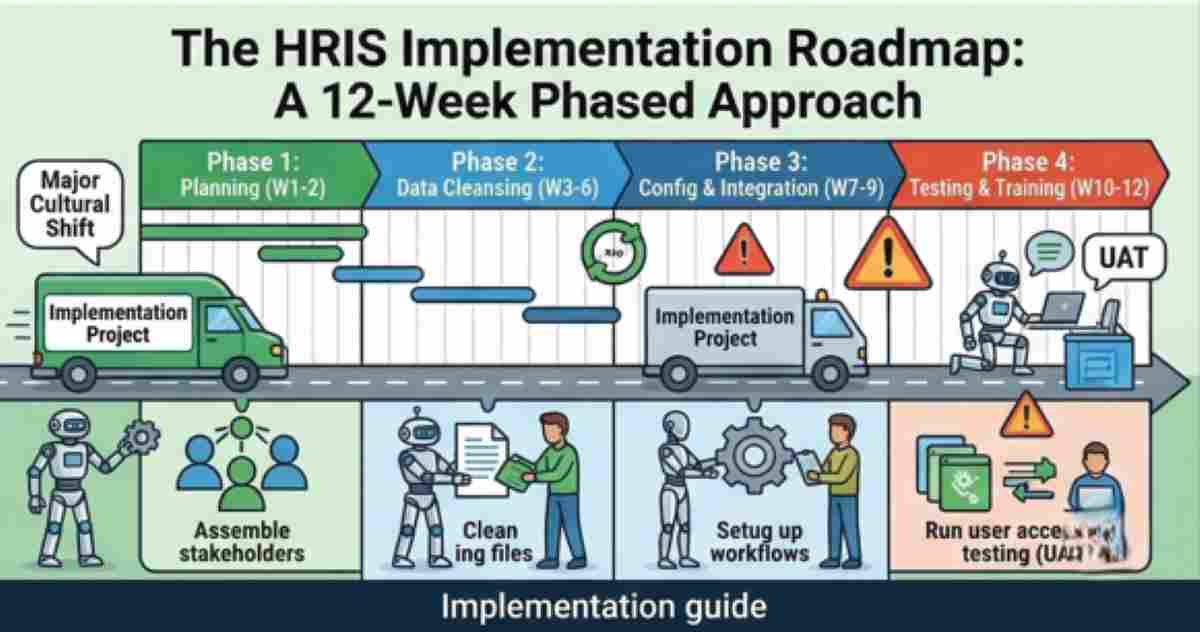
Planning & Alignment
Before touching the software, you must define the "Success Metrics." Are you trying to reduce time-to-hire? Automate leave management?
- Assemble the Team: You need an Executive Sponsor (for budget/authority), a Project Manager, and representatives from Finance and IT.
- Process Mapping: Document your current workflows (e.g., how a promotion is approved) so you can mirror or improve them in the new system.
Data Cleansing & Migration
This is where most implementations fail. If you migrate "dirty" data, your new system will be broken from day one.
- The Audit: Remove duplicate records, update old addresses, and standardize formatting (e.g., ensuring all phone numbers use the same +1 format).
- Mapping: Create a field-by-field map from your old spreadsheets to the new HRIS database using data cleansing principles.
- The "Small Batch" Test: Migrate a single department first to check for errors before moving the entire company.
Configuration & Integration
Now, you build the environment.
- Custom Workflows: Set up the automated "chains of command" for PTO requests, expense approvals, and performance reviews.
- Integrations: Connect the HRIS to your 2026 tech stack—Slack/Teams for notifications, QuickBooks/Xero for accounting, and your benefits providers.
Testing & Training
Never "Go-Live" without a Sandbox phase.
- User Acceptance Testing (UAT): Have a small group of managers and employees try to complete basic tasks through UAT protocols without help. If they get stuck, your UI isn't ready.
- Role-Based Training: Don't give everyone the same manual. Managers need to know how to approve reports, while employees just need to know how to log their hours.
FAQ
What is the biggest risk during implementation?
Scope Creep. It’s tempting to try and automate every single HR process at once. In 2026, the best practice is a "Phased Rollout." Get Core HR and Payroll working perfectly first, then add modules like Learning Management (LMS) or Recruitment (ATS) three months later.
How much time should my internal team dedicate to this?
A Project Manager should expect to spend 10–15 hours per week during the peak migration phase. If your team is already at 100% capacity, consider hiring a third-party implementation consultant to handle the data mapping.
Should we run parallel payrolls?
Absolutely. For at least two pay cycles, run your payroll in both the old and new systems. If the numbers don't match to the penny, you have a configuration error that needs to be fixed before you shut down the old system.
Advertisement