10 Best Self-Service Password Reset (SSPR) Software (2026)
Advertisement
10 Best Self-Service Password Reset (SSPR) Software Tools
A premier SSPR platform does more than simple email-link resets; it enforces ironclad multi-factor authentication (MFA) verification methods directly on top of the corporate directory infrastructure. From local biometric sweeps and security questions to automated SMS OTP validation loops, these solutions ensure malicious actors cannot leverage self-service routes to execute account takeover attacks. We have evaluated the industry leaders to rank the ten best self-service password reset software solutions designed to optimize your internal IT operations.
1. Specops Password Reset
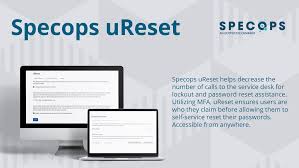
Specops delivers an enterprise-grade password security solution that integrates seamlessly into Active Directory layouts. It focuses on turning your existing Windows login desktop screen into an immediate, secure account recovery gateway.
- Windows Gina/CP Integration: Adds a highly visible "Reset Password" link straight onto the standard Windows CTRL+ALT+DEL workstation login screen, bypassing the browser entirely.
- Multi-Factor Authentication Blocks: Requires users to clear up to 20 separate identity verification methods, including smartphone authentication apps and biometric hardware tokens.
- Strategic Implementation Data: Case studies published on SaaSPodium confirm that deploying Specops drives an immediate drop in manual password-related IT support logs.
2. FastPass Enterprise
FastPass Corporation specializes in delivering high-volume credential synchronization and cloud account unlock capabilities for massive enterprise organizations with stringent compliance guidelines.
- Continuous Identity Auditing: Logs and traces every single account reset attempt, mapping geographical location metrics and failure rates to catch suspicious access behaviors.
- Offline Unlock Resilience: Empowers traveling or field-bound employees to safely reset their local laptop login credentials even when entirely disconnected from the corporate corporate network.
- Strategic System Notes: Independent infrastructural evaluations shared on this Medium Blog praise FastPass for its robust multi-domain forest synchronization handling rules.
3. Softerra Adaxes
Softerra Adaxes is a complete directory management powerhouse that features a beautiful, touch-optimized web console module engineered to handle automated user self-service loops with zero administration footprint.
- Automated Enrollment Actions: Systematically forces users to populate their primary security contact answers during initial computer registration profiles via strict corporate rules.
- Custom Layout Styling: White-label the entire user web interface console to display company logos and branding elements, increasing user adoption curves.
- Verified Operational Metrics: Professional laboratory testing reviews compiled by PCMag highlight Adaxes for its superb blend of rich automation features and clean UI design layouts.
4. SolarWinds Access Rights Manager
SolarWinds embeds robust credential oversight and self-service capabilities straight into its access architecture, targeting networks that need to maintain strict data compliance guidelines.
- Role-Based Administrative Delegation: Secures identity verification channels while allowing help desk technicians to monitor active network object lockouts from central screens.
- Policy Compliance Mapping: Generates automated log evidence folders required under SOX and HIPAA by tracing changing file authorizations and profile password overrides.
- Suspicious Activity Interception: Flags and locks down user configurations automatically if a sudden, unexpected volume of bad self-service requests occurs.
5. Netwrix Password Reset
Netwrix delivers a reliable, low-overhead self-service software utility crafted around removing complex technological hurdles for distributed, multi-branch operations wanting basic automation options.
- Multi-Channel Security Alerts: Dispatches immediate confirmation emails and SMS notifications to workers the moment their account status string updates, preventing silent hacks.
- Enforced Passphrase Complexities: Evaluates new passwords against strict dictionary blocklists in real time to stop users from picking weak variations.
- Single-Click Help Desk Portals: Allows administrators to see a live visual history mapping a locked account's historic recovery patterns inside simple interfaces.
6. One Identity Password Manager
One Identity forms part of a larger identity governance family, helping enterprise teams tie self-service password workflows right next to deeper regulatory compliance validation benchmarks.
- Universal Credential Syncing: Synchronizes updated user password metrics across legacy directories, mainframe systems, and SaaS platforms concurrently to avoid split-login states.
- Dynamic Security Questions: Uses intelligent parameter pools to present custom verification questions based on specialized employee database values.
- Enterprise Enrollment Analytics: Provides tracking charts detailing exactly what percentage of different business branches have completed their mandatory security profiles.
7. Bio-Key PortalGuard
PortalGuard targets highly regulated institutional verticals like education and health systems, combining robust web single sign-on (SSO) portals with comprehensive self-service options.
- Native Biometric Integrations: Complements traditional passcode recoveries with specialized fingerprint, face, and voice analysis checkpoints to maximize access security.
- Flexible Web Access: Allows users to securely resolve locked digital profiles from any standard mobile device browser screen without installing external client agents.
- External Reference: Read detailed platform performance comparisons and customer configuration reviews outlining PortalGuard at Capterra.
8. Tools4ever Self-Service Password Reset (SSPM)
Tools4ever builds a lightweight, highly efficient directory extension optimized specifically to give small-to-midsize tech companies immediate self-service functionalities with rapid setup curves.
- SMS Gateway Integrations: Interfaces cleanly with major global cellular notification platforms to deliver instant, high-speed identity confirmation codes.
- Automatic Active Directory Unlocking: Clears standard active directory account lockout blocks the exact second a user passes their secondary authentication challenges.
- Minimal System Latency: Runs via clean web infrastructure lines that pull directly from directory schemas without causing computing delays on production domain servers.
9. Identity Automation RapidIdentity
RapidIdentity targets the specialized needs of modern educational ecosystems, large scale municipal frameworks, and multi-facility healthcare setups requiring bulk identity configurations.
- Contextual Access Guardrails: Controls user self-service options dynamically based on internal employee attributes, location flags, or shift schedules.
- Age-Appropriate Visual Paths: Features specialized icon-based and pictorial security verification challenges designed for younger student environments.
- Unified Access Dashboards: Merges application link shortcuts, account settings, and credential reset options inside a singular user homepage view.
10. IS Decisions UserLock
UserLock builds directly on top of legacy directory access controls to introduce strict login monitoring and context-aware session permissions across enterprise network infrastructures.
- Concurrent Connection Blocks: Enhances identity stability by stopping users from initializing self-service paths across different machines at the same time.
- Immediate Admin Override: Allows network security officers to freeze active user reset requests globally with one click if compromise alerts trigger.
- Time-Window Restrictions: Blocks account self-service actions outside of approved corporate core hours to prevent off-shift hacking vectors.
FAQs
How do self-service password reset tools verify a user’s true identity without a human technician?
SSPR platforms rely on pre-registered multi-factor authentication (MFA) parameters to establish trust. Before an account lock occurs, users are systematically forced to populate their security profile—linking a trusted mobile number, registering an authenticator app token, or answering specialized security questions. When a reset is requested, the software requires the user to successfully pass multiple independent validation challenges before clearing access strings.
Can hackers abuse an SSPR portal to hijack a corporate account?
If an SSPR portal is poorly configured—relying solely on weak, easily discoverable security questions (like "What city were you born in?")—it can become a vulnerability. To neutralize this threat, modern enterprise tools deploy rigid security metrics: enforcing mandatory multi-tier MFA steps, using rate-limiting blocks to intercept brute-force attempts, and instantly blocking paths if anomalies like irregular geographic IP shifts trigger.
What happens to cloud applications when an employee updates their on-premises Active Directory password?
Advanced SSPR software uses real-time, identity-synchronization engines. The exact second an employee successfully updates their main Active Directory password via the self-service web layout, the software safely catches the change event and cryptographically pushes the updated credentials out across your cloud architecture systems—ensuring their logins remain completely unified.
Advertisement