Death by a Thousand Pings: Why Your Chat App is Sabotaging Your Operations
Advertisement
Chat apps were sold to us as the solution to email. Instead, they’ve become a chaotic, always-on firehose of anxiety. For Ops leaders—who sit at the intersection of product, sales, and support—this is critical. You are the hub. If the hub is distracted by a GIF war in the #random channel or a misplaced support ticket in #general, the whole wheel wobbles.
I’ve audited communication stacks for high-growth SaaS companies, and I can tell you this: the problem isn't the tool. Slack is a brilliant piece of engineering. Microsoft Teams is... well, it’s robust. The problem is that most teams treat chat apps like a synchronous meeting that never ends.
The Core Problem: "ASAP" Culture vs. Asynchronous Reality
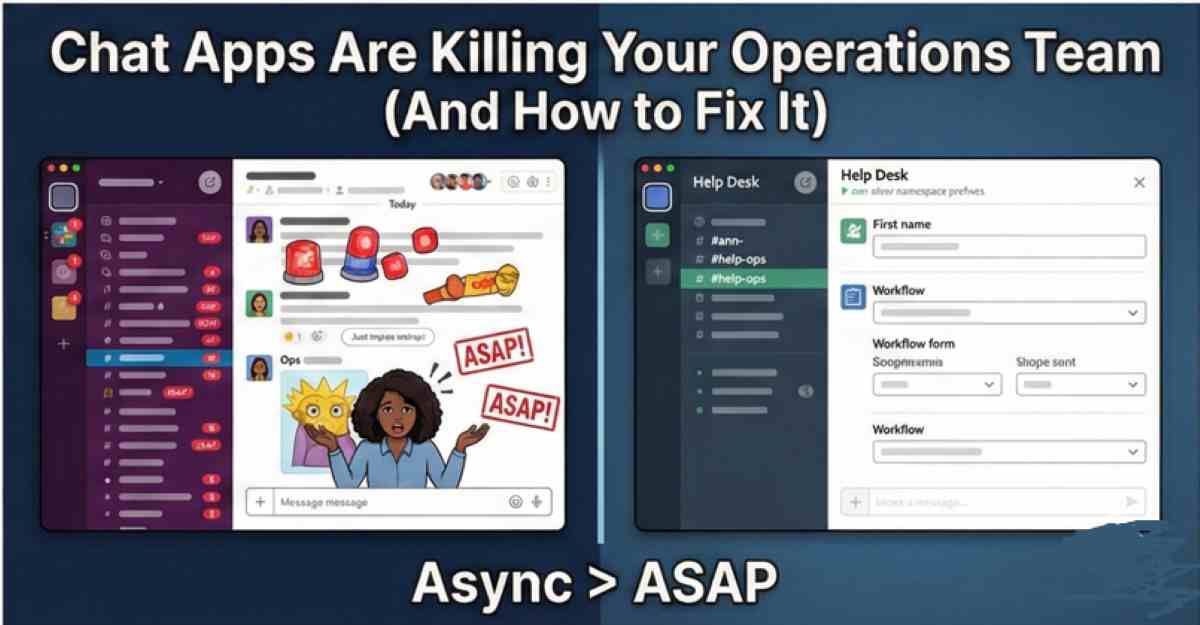
The default state of a chat app is "now." When someone pings you, the social contract implies you should reply immediately. This destroys Deep Work.
In Operations, you need deep focus to build processes, audit financials, or plan logistics. You can’t do that if you’re context-switching every 90 seconds. The first step to fixing this isn't deleting channels; it’s shifting the culture. You need to establish that Chat ≠ Instant. Unless the server is on fire or the CEO is locked out of the building, a response within 2-4 hours is acceptable. If you don't set this expectation, your team will assume every ping is a fire drill.
Structuring Your Architecture: The "Namespace" Strategy
Most workspaces are a mess of random channel names. You have #marketing, #marketing-new, #marketing-final, and #lunch. To fix this, you need a strict Naming Convention (Namespaces). This sorts channels alphabetically and groups them by function.
#ann- (Announcements: Read-only for most)
#proj- (Projects: Temporary channels)
#team- (Team specific: Daily chatter)
#help- (Requests: The only place to ask)
#social- (Watercooler: Muted by default)
The "Help" Desk Approach
This is the biggest game-changer for Ops. Create a #help-operations channel. Configure a Workflow Builder (standard in Slack/Teams now) that forces a form submission.
- Request Type: Access / Bug / Purchase
- Urgency: High / Medium / Low
- Details: [Text Box]
This kills the "Hey, quick question" DM. It forces the requester to think before they ping, and it allows you to triage requests in a single queue rather than hunting through 15 direct messages.
The Tools: Configuring SaaS for Sanity
You can’t talk about this without reviewing the actual software settings. The default settings on Slack and Teams are designed to maximize engagement (read: addiction), not productivity.
Slack
- Sidebar Sections: If you aren't using custom sections, start. Group all your
#proj-channels. Collapse them. - Notification Schedule: Hard-code your working hours. If someone pings you at 7 PM, they should see a "Zzz" icon. It signals boundaries without you saying a word.
Microsoft Teams
- Pinned Channels: Teams is noisy. Pin the 5 channels you actually care about. Hide the rest.
- The "Activity" Feed: This is often better than scanning channels. Treat it like an inbox. Read, action, clear.
The "No Hello" Rule and Other Protocols
Software solves 50% of the problem. Human behavior solves the rest.
1. No "Hello"
Texting "Hi" and waiting for a reply is a sin. State your business in the first message. "Hi [Name], I need access to X because of Y." (See NoHello.net).
2. Thread Hygiene
If you reply to a message in the main channel stream instead of a thread, you are notifying everyone in the channel. This is digital littering. Enforce threading ruthlessly.
3. The "Urgency" Emoji
Agree on a signal. Maybe it’s a 🔴 red circle. If a message doesn't have it, it can wait. If it does, drop everything. When everything is urgent, nothing is.
Final Thoughts: You Are the Architect
As an Operations Manager, you design the "operating system" of your company. If that OS is glitchy and noisy, the output suffers. Taking control of your chat channels feels uncomfortable at first. People will complain that you aren't "responsive." But once they see that requests are being handled faster because you aren't distracted, the complaints stop. You aren't being anti-social; you're being professional.
FAQ
Should I delete old channels?
Yes. Archive ruthlessly. If a #proj- channel hasn't had activity in 30 days, archive it. It reduces cognitive load and search clutter. You can always un-archive it later if needed.
How do I stop executives from DMing me constantly?
This is tough. You can't ignore the CEO. However, you can steer the ship. Reply with: "On it. I've moved this to the #help-ops channel so the whole team has visibility and we don't drop the ball." Eventually, they get the hint that the channel is more reliable than the DM.
Is Slack better than Teams for Operations?
Slack is generally better for integrations and "chat-ops" (running scripts from chat). Teams is better if your company lives in Excel/SharePoint. Don't fight the tide—optimize the tool your company already pays for.
Advertisement