10 Best WiFi Packet Sniffers & Network Analyzers (2026)
Advertisement
10 Best WiFi Packet Sniffers & Network Analyzers
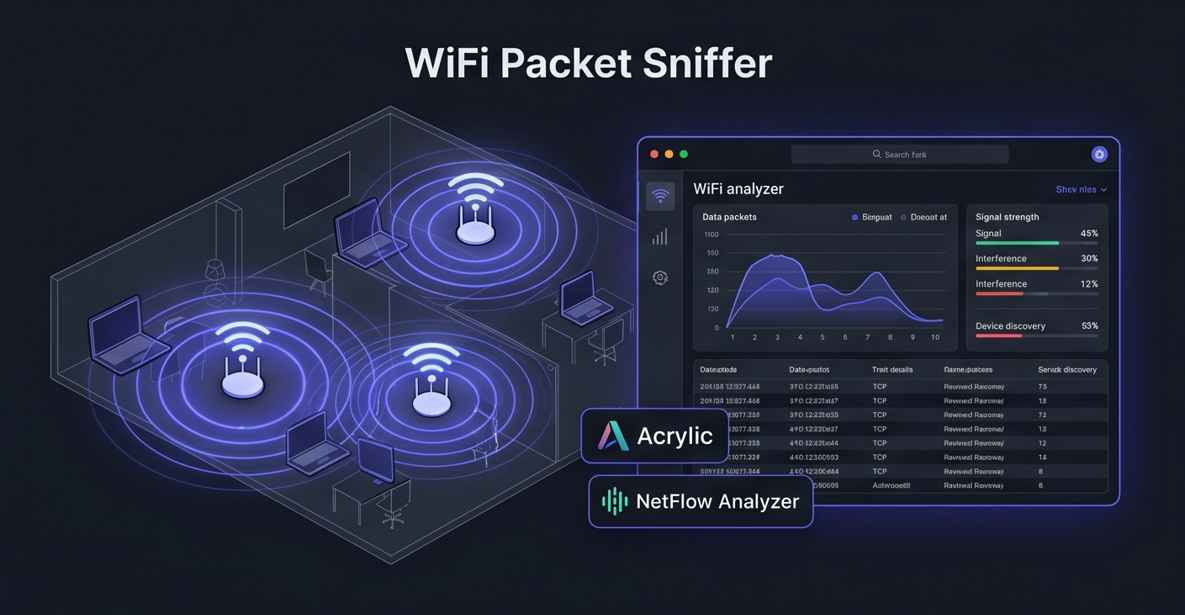
The art of packet sniffing requires powerful software that can read complex network protocols and translate them into human-readable data. From command-line utilities loved by ethical hackers to massive, cloud-based enterprise monitoring suites, we have compiled the ten best WiFi packet sniffers and wireless network analyzers available today.
1. Wireshark
Wireshark is the undisputed industry standard for network protocol analysis. It is completely free, open-source, and used by virtually every network engineer and cybersecurity professional in the world.
- Deep Protocol Support: Capable of deeply inspecting hundreds of different network protocols, with new ones being added continuously by the community.
- Live Capture & Offline Analysis: Capture live WiFi traffic over the air or import saved PCAP (Packet Capture) files for forensic analysis later.
- External Reference: Download the open-source tool directly from Wireshark.
2. Paessler PRTG Network Monitor
Paessler PRTG is a massive IT monitoring suite, but its Packet Sniffer sensor is incredibly powerful for Windows users who want to analyze wireless traffic without dealing with complex command-line tools.
- Top Talkers Dashboard: Automatically analyzes the packet headers to show you exactly which IP addresses, protocols, or applications are consuming the most WiFi bandwidth.
- Historical Traffic Analysis: Stores packet metadata over time, allowing administrators to compare current wireless traffic spikes to historical baselines.
- Unified IT View: Combines packet sniffing data with standard Ping and SNMP metrics in a single, user-friendly dashboard.
3. Acrylic WiFi Professional
Acrylic is specifically built for WLAN (Wireless Local Area Network) analysis. It is an exceptional tool for resolving complex 802.11 a/b/g/n/ac/ax connection issues in enterprise environments.
- Monitor Mode Support: Works flawlessly with compatible USB Wi-Fi adapters to capture raw management frames and data packets right out of the air.
- Signal Strength Heatmaps: Goes beyond pure packet sniffing by helping you visualize Wi-Fi coverage and dead zones across your office floor plan.
- Hardware Inventory: Automatically builds a table showing the MAC addresses, vendors, and connection metrics of every device connected to the router.
4. ManageEngine NetFlow Analyzer
NetFlow Analyzer takes a different approach by focusing on "flow" data rather than raw packet inspection. It is ideal for massive enterprise environments where capturing every single packet would crash the server.
- Bandwidth Allocation: Helps network admins understand exactly how much wireless bandwidth is being used by critical business apps versus non-essential video streaming.
- DPI Support: Includes Deep Packet Inspection capabilities to accurately measure Application Response Time (ART) and Network Response Time (NRT).
- Proactive Security: Uses flow anomalies to detect DDoS attacks, port scans, and network probes before they escalate.
5. Tcpdump
Tcpdump is the classic, bare-bones packet sniffer. It operates entirely from the command line and is natively available on almost all Linux and Unix-like operating systems.
- Ultra-Lightweight: Uses almost zero system resources, making it perfect for running on small IoT devices, Raspberry Pis, or heavily loaded Linux servers.
- Powerful BPF Filtering: Uses Berkeley Packet Filter syntax to allow you to capture only highly specific traffic (e.g., only capture packets on port 80 coming from a specific IP).
- PCAP Generation: Easily captures packets from a headless server and saves them to a standard .pcap file to be analyzed later in a GUI tool like Wireshark.
6. Site24x7 Wireless Monitoring
Site24x7 offers a cloud-based approach to wireless network monitoring. It is perfect for MSPs and distributed organizations that need to monitor WiFi access points across multiple physical locations.
- Cloud-Native Dashboards: Access your wireless network performance data, throughput stats, and client connection metrics from anywhere in the world.
- Rogue AP Detection: Actively monitors the environment for unauthorized access points or "evil twin" routers attempting to steal employee credentials.
- Controller Management: Integrates deeply with enterprise wireless controllers (like Cisco WLC) to track the health of all managed access points simultaneously.
7. Aircrack-ng
Aircrack-ng is not just a sniffer; it is a complete suite of tools to assess WiFi network security. It is the go-to utility for ethical hackers and penetration testers auditing wireless encryption.
- Packet Capture & Injection: Not only captures 802.11 packets but can also inject customized packets back into the network to test firewall rules or force de-authentications.
- Encryption Cracking: Includes tools to test the strength of WEP, WPA, and WPA2-PSK passwords by capturing and attempting to crack the four-way cryptographic handshake.
- External Reference: Read the documentation at Aircrack-ng.
8. Telerik Fiddler
While traditional sniffers operate at the hardware network layer, Fiddler is a specialized "web debugging proxy" that sniffs HTTP and HTTPS traffic specifically at the application layer.
- HTTPS Decryption: Easily decrypts secure web traffic so developers can see exactly what data is being sent between the browser and the server.
- Session Manipulation: Allows you to intercept a web request, alter the parameters, and send it back to test how the server handles unexpected data.
- Performance Testing: Simulates slow Wi-Fi connections to test how well a web application performs under poor network conditions.
9. SolarWinds Network Performance Monitor (NPM)
SolarWinds NPM is a heavy-duty infrastructure monitoring tool that features an exceptional Wireless Network Monitoring module for mapping and analyzing massive enterprise WiFi deployments.
- Dynamic Wireless Maps: Automatically generates visual maps of your wireless environment, showing how routers, switches, and APs are physically connected.
- Client Tracking: Find exactly which access point a specific user's laptop or mobile device is currently connected to in real-time.
- Cross-Stack Data Correlation: Allows you to drag and drop wireless packet data onto the same timeline as server CPU metrics to find the root cause of an outage.
10. NetSpot
NetSpot blurs the line between a packet sniffer and a professional site survey tool. It is highly recommended for IT professionals tasked with setting up new office WiFi networks.
- Discover Mode: Instantly sniffs the airwaves to identify all surrounding WiFi networks, their channel overlap, and signal-to-noise ratios.
- Survey Mode: Upload a floor plan and walk around with your laptop; NetSpot captures packet data at various points to generate highly accurate heatmaps of signal strength.
- Troubleshooting: Quickly identifies areas where microwave interference or thick concrete walls are destroying packet transmission rates.
FAQs
What is 'Monitor Mode' in WiFi sniffing?
By default, a computer's Wi-Fi card only processes packets that are specifically addressed to it. "Monitor Mode" forces the Wi-Fi card to capture every single packet broadcasting through the air, regardless of its intended destination. Not all Wi-Fi adapters support Monitor Mode.
Is packet sniffing illegal?
Using a packet sniffer on a network you own, or have explicit written permission to monitor, is perfectly legal and is a standard part of IT administration. However, using a packet sniffer to intercept traffic on public networks (like a coffee shop) or networks you do not own is illegal and considered wiretapping.
What is a PCAP file?
PCAP stands for Packet Capture. It is the universal file format used by sniffers (like Tcpdump and Wireshark) to save recorded network traffic. You can capture packets on a headless Linux server, save them as a .pcap file, and later open that file on your Windows machine for visual analysis.
Advertisement