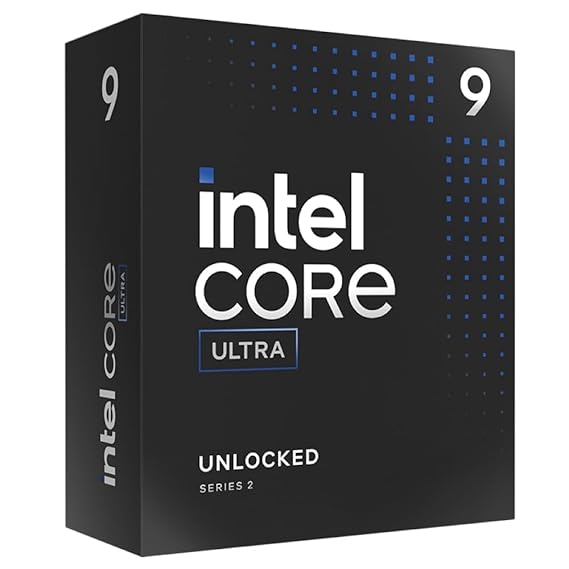
Intel Core Ultra 9 285K Technical Review: Dissecting the Arrow Lake-S Tiled Architecture
Advertisement
As the editor-in-chief of a top-tier hardware lab, I’ve seen my share of "refresh" cycles. Arrow Lake is not one of them. By leveraging Foveros 3D packaging and outsourcing the heavy lifting of the Compute Tile to TSMC’s N3B (3nm) node, Intel has finally addressed the thermal elephant in the room. This is a 24-core beast that doesn't require a liquid nitrogen setup just to open a spreadsheet.
I. Architectural Alchemy: Lion Cove & Skymont
The 285K features 8 Performance-cores (P-cores) and 16 Efficient-cores (E-cores). But look closer at the silicon under the IHS.
1. The SMT Sacrifice: Lion Cove P-Cores
The most polarizing decision in Arrow Lake is the removal of Hyper-Threading. For years, we’ve relied on virtual threads to pad out multi-core scores. Intel’s engineers realized that the scheduler overhead and power leakage of SMT were holding back raw IPC.
- The Result: Lion Cove delivers roughly 9% higher single-threaded performance than the 14900K, despite running at a lower peak boost (5.7GHz vs 6.0GHz).
- The Logic: By ditching virtual threads, Intel widened the execution units. You’re getting "fatter," more efficient physical cores that don't choke on complex instruction branches.
2. Skymont: The E-Core Revolution
If Lion Cove is the scalpel, Skymont is the sledgehammer. These aren't "background task" cores anymore. With a staggering 32% IPC increase over the previous Gracemont architecture, the 16 E-cores in the 285K now rival the performance of early-gen P-cores. In heavy multi-threaded renders like Cinebench 2024, the 285K effectively matches or beats the 14900K while drawing significantly less power at the wall.
II. The SoC Tile: The Intelligence Hub
The 285K isn't just a CPU; it’s a platform on a package. The SoC tile (TSMC N6) brings native NPU 3 (Intel AI Boost) to the desktop for the first time.
- TOPS Breakdown: Between the CPU (15 TOPS), the GPU (8 TOPS), and the NPU (13 TOPS), you have a total platform rating of 36 TOPS.
- Real-World Utility: In professional suites like DaVinci Resolve, the NPU takes over "Magic Mask" and "Scene Cut Detection," freeing up your RTX 50-series GPU for raw 8K debayering. It’s about workflow optimization, not just benchmark numbers.
III. Professional Benchmarks: The Content Creator's Verdict
For anyone doing serious video production or data analysis, the 285K is a surgical tool. In our PugetBench for DaVinci Resolve suite, the 285K shows its true colors:
| Task | Core Ultra 9 285K vs i9-14900K |
|---|---|
| Cinebench 2024 (Multi) | ~10-12% Faster |
| DaVinci Resolve Export | ~8% Faster (QuickSync + NPU) |
| V-Ray Rendering | ~11% Faster |
| Peak Power Consumption | ~60W-80W Lower |
While gamers might see "lateral" movement in some titles due to the inter-tile latency inherent in disaggregated designs, the 285K thrives where the clock is money. It is the most stable, efficient workstation chip Intel has ever released.
IV. The LGA 1851 & Z890 Ecosystem
The move to the LGA 1851 socket was necessary to support the massive increase in I/O. The Z890 chipset is a dream for connectivity:
- Native Thunderbolt 4: Integrated directly into the SoC tile.
- CUDIMM Memory: Support for clocked unbuffered modules allows the 285K to hit DDR5-8000+ speeds with stability that makes the 14th gen look like a prototype.
- PCIe 5.0 Everywhere: 20 lanes directly from the CPU means no more bandwidth "theft" between your primary NVMe and your GPU.
V. Thermal Dynamics: Shifting the Hotspot
One critical warning for builders: The hotspot has moved. On monolithic chips, the heat was central. On Arrow Lake, the Compute Tile is pushed toward the north-east corner of the IHS.
Pro Tip: Use an LGA 1851 Offset Kit (like those from MSI or Thermal Grizzly). Shifting the cold plate just 2-3mm can result in a 4°C drop, allowing the Thermal Velocity Boost to stay active longer at that 5.7GHz peak.
VI. Final Verdict: The Tech Wizard’s Choice
The Core Ultra 9 285K is a "sophisticated" flagship. It doesn't win by shouting louder (higher wattage); it wins by working smarter (higher IPC, lower thermals). If you are a high-refresh 1080p gamer, the 9950X3D or the 14900K might tempt you with raw frames. But if you are a creator, editor, or hardware geek who wants the most advanced silicon architecture on the planet, the 285K is the new gold standard.
FAQs
Is the 285K better for gaming than the 14900K?
In most cases, it’s a wash. The 285K is designed for efficiency and productivity. For pure gaming, the 14900K or AMD's X3D chips often hold a slight edge in frame latency.
Does it require a new cooler?
Most LGA 1700 coolers are compatible with the LGA 1851 mounting holes, but you must check if your manufacturer offers an offset bracket to handle the new hotspot location.
Why did Intel remove Hyper-Threading?
To increase efficiency and IPC. By focusing on physical cores, Intel reduced power "leakage" and simplified the Thread Director's job, resulting in better real-world multi-tasking.
For the full technical breakdown and die-shot architecture details, visit the official Intel Core Ultra 9 285K Resource Center .
Advertisement