10 Best Document Management Software Systems (2026)
Advertisement
10 Best Document Management Software (2026)
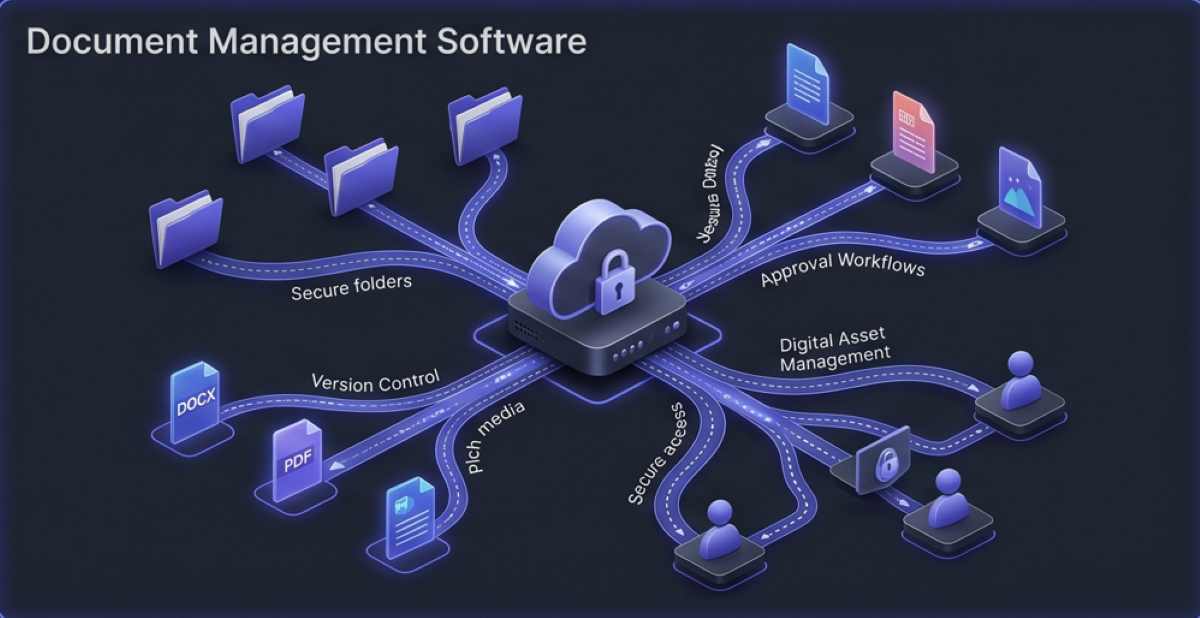
Transitioning to an electronic document management system does more than just organize your digital filing cabinet; it secures it. Modern platforms utilize zero-knowledge encryption, granular access permissions, and automated approval workflows to keep data safe while remaining accessible to global teams. To ensure your chosen software meets strict international security compliance, it is highly recommended to reference standards established by the ISO/IEC 27001 Information Security guidelines, alongside data encryption protocols outlined by the NIST Computer Security Resource Center.
We have rigorously tested the industry's leading platforms to bring you the ten best document management software solutions available today, focusing on collaboration, security, and digital workflow automation.
1. Smartsheet
Smartsheet is an incredibly dynamic workspace that blends the familiarity of spreadsheets with robust document management and project tracking. It is ideal for teams that need to tie documents directly to project timelines.
- Automated Workflows: Automatically request approvals and update document statuses across spreadsheets without manual intervention.
- Document Generation: Merges row data automatically into fillable PDFs, saving hours of repetitive manual data entry.
- Product Link: Explore their comprehensive workspace and document features directly at Smartsheet.
2. Icedrive
Icedrive stands out as a next-generation cloud storage platform that feels completely native to your operating system. It offers some of the strongest privacy features on the market.
- Intelligent Caching: Mounts cloud storage as a virtual physical hard drive on your computer, allowing you to access massive files instantly without waiting for full syncs.
- Client-Side Encryption: Utilizes bulletproof zero-knowledge encryption, ensuring files are encrypted on your device before they even begin uploading to the cloud.
- Built-In Document Viewer: Allows teams to preview popular file formats natively in the browser without having to download the files locally.
3. DocHub
DocHub is a specialized document management platform that heavily focuses on PDF editing and routing. It is the perfect tool for HR and legal teams processing heavy volumes of contracts.
- PDF Annotation: Add text, images, and custom annotations directly to PDF documents in the browser, eliminating the need for expensive desktop PDF software.
- Legally Binding eSignatures: Route documents to multiple stakeholders for legally binding electronic signatures, tracking completion status in real time.
- Form Creation: Convert flat documents into interactive forms with automated field detection, making data collection seamless.
4. Bit.ai
Bit.ai is a new-age document collaboration platform designed for technical content creators and marketing teams. It focuses on making documents interactive and engaging.
- Rich Media Integration: Embed over 100+ rich media formats (including YouTube videos, code blocks, and Figma designs) directly into your living documents.
- Smart Workspaces: Create dedicated, secure workspaces for different client projects or internal departments to keep content strictly siloed.
- Document Tracking: Generate trackable links for your documents to see exactly who opened them, how far down they scrolled, and how much time they spent reading.
5. Bynder
Bynder is a premium Digital Asset Management (DAM) platform heavily favored by enterprise marketing departments. It goes beyond basic text documents to manage complex branding assets.
- AI Image Tagging: Automatically analyzes uploaded images and videos, assigning highly accurate metadata tags to make finding specific assets instant.
- Brand Guidelines: Acts as a centralized portal for brand identity, ensuring all internal teams and external agencies are using the latest approved logos and documents.
- Rich Media Playback: Supports direct, seamless playback of heavy video and audio files directly within the cloud repository.
6. Bitrix24
Bitrix24 offers a massive suite of business tools, with its document management system serving as the core of its collaborative ecosystem. It acts as a full intranet for remote businesses.
- Real-Time Co-Editing: Multiple team members can jump into DOCX, PPTX, and XLSX files and edit them simultaneously, similar to Google Workspace.
- Document Locking: Temporarily lock specific files while performing critical updates to prevent conflicting versions from being uploaded by other colleagues.
- Integrated CRM: Because it is an all-in-one platform, you can attach specific documents, quotes, and invoices directly to customer profiles in the CRM.
7. Templafy
Templafy solves the problem of "rogue documents" by dynamically updating company templates across the entire organization. It ensures every document generated adheres to strict compliance and brand rules.
- Dynamic Template Assembly: Automatically pulls the most recent company data, logos, and legal disclaimers into Microsoft Office and Google Workspace templates.
- Email Signature Management: Centrally manage and deploy uniform email signatures and marketing banners to the entire company's email clients.
- Content Checking: Scans outbound documents and presentations to flag outdated branding or unapproved legal terminology before sending.
8. IncoDocs
IncoDocs is a highly specialized document management platform built specifically for importers, exporters, and supply chain professionals managing international trade.
- Trade Documentation: Instantly generate complex commercial invoices, packing lists, and certificates of origin from standardized, compliant templates.
- Data Syncing: Enter product data once, and IncoDocs automatically syncs the information across all related shipping documents to eliminate manual entry errors.
- Secure Export Sharing: Securely share sensitive shipping documentation directly with freight forwarders and customs brokers via a unified portal.
9. IBM FileNet Content Manager
IBM FileNet is a robust, enterprise-grade Content Services platform designed for massive organizations handling millions of documents, such as major banks and healthcare providers.
- AI Content Classification: Leverages IBM Watson to automatically read, classify, and extract metadata from highly complex unstructured documents.
- Lifecycle Governance: Automates document retention policies, automatically archiving or securely deleting files after strict legal compliance periods expire.
- High-Volume Processing: Built to process and store immense volumes of transactional documents without suffering performance degradation.
10. Microsoft SharePoint
SharePoint remains the foundational document management system for the vast majority of corporate enterprises. It provides unparalleled integration with the entire Microsoft 365 ecosystem.
- Intranet Creation: Build highly customized internal company websites that serve as central hubs for departmental documents and news.
- Deep Version History: Automatically retains historical versions of every document, allowing administrators to roll back unwanted changes instantly.
- Power Automate: Integrate with Microsoft Power Automate to build highly complex, custom document approval and routing workflows across the entire organization.
FAQs
What is a Document Management System (DMS)?
A Document Management System is a centralized software platform used to receive, track, manage, and store digital documents. It helps businesses reduce paper usage, maintain strict version control, secure sensitive files with encryption, and automate approval workflows across different departments.
What is the difference between Cloud Storage and Document Management?
Basic cloud storage (like a personal Google Drive) is simply a digital hard drive in the cloud for saving files. A true Document Management System goes much further, offering enterprise features like metadata tagging, automated approval routing, audit trails, digital rights management (DRM), and strict compliance governance.
Are Document Management Systems secure?
Yes, top-tier DMS platforms are highly secure. They utilize AES 256-bit encryption for data at rest and TLS encryption for data in transit. Furthermore, they allow IT administrators to set granular, role-based access permissions, ensuring that employees can only view or edit documents explicitly required for their specific job roles.
Advertisement