The Definitive Architectural Guide to the Best Free TFTP Servers for Windows
Advertisement
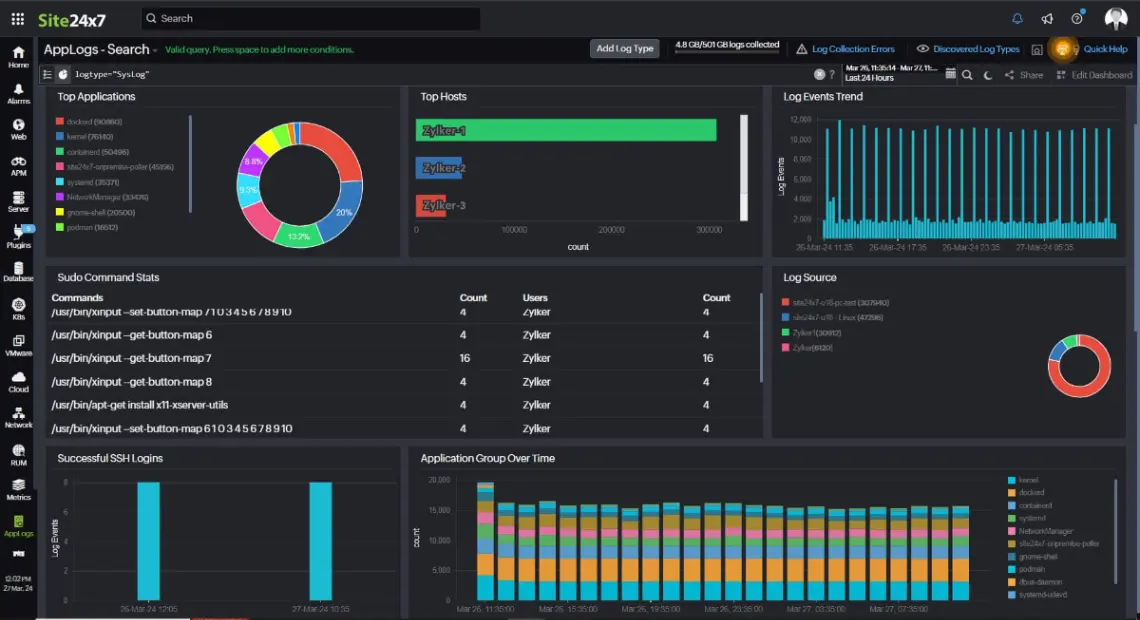
1. Site24x7 Server Monitoring
Site24x7 delivers a comprehensive, cloud-native observability platform that integrates deep monitoring of TFTP-based endpoints with overall infrastructure analytics. By correlating system-level performance data with file transfer latency, it allows enterprise administrators to diagnose network bottlenecks in real-time.
- AI-Driven Anomaly Detection: Employs machine learning algorithms to detect irregular patterns in file-transfer volumes and socket utilization.
- Multi-Tenant Architecture: Features a distributed collector system designed to monitor multiple remote server instances through a unified cloud plane.
- Extensive Plugin Ecosystem: Integrates with more than 100 native plugins for deep operating system and application layer instrumentation.
2. Progress WhatsUp Gold
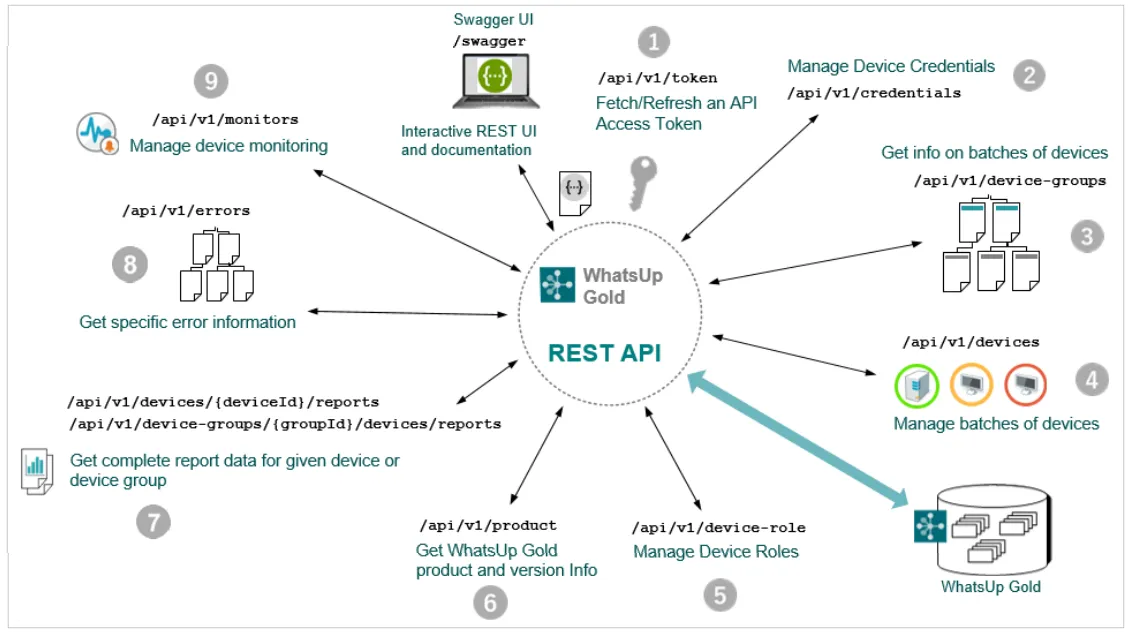
WhatsUp Gold integrates a specialized, robust TFTP implementation directly within its prominent network monitoring and topology mapping architecture. It enables high-volume transfers of systems up to 4GB while enforcing stringent connection limits and IP access controls.
- Interactive Topology Maps: Dynamically visualizes TFTP server endpoints and client interactions across hybrid cloud environments.
- Advanced Bind Customization: Permits binding the listener socket to a specific host IP or all active network interfaces to control virtualized routing.
- Policy-Driven Storage Control: Supports strict file size limitations and directory path restrictions to prevent unauthorized system writes.
3. TFTPD64 Server
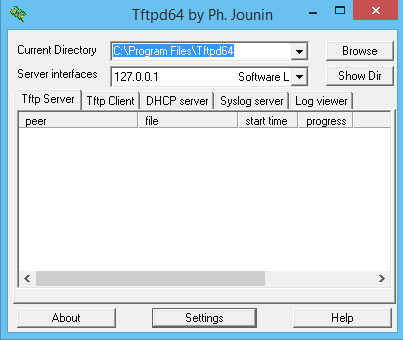
TFTPD64 is an industry-standard, lightweight, open-source utility designed specifically for x64 architecture as a multi-threaded Windows service. It features an integrated suite of core network services including DHCP, DNS, SNTP, and Syslog servers alongside its primary TFTP daemon.
- Native 64-Bit Multi-Threading: Architected to process concurrent file transfers utilizing high-performance Windows I/O completion ports.
- Full Option Negotiations: Fully supports RFC-compliant tsize, blocksize, and timeout adjustments to optimize UDP packet sizes.
- Unified Services Stack: Combines a DHCP server, DNS server, SNTP timekeeper, and Syslog daemon within a single footprint.
4. SolarWinds TFTP Server
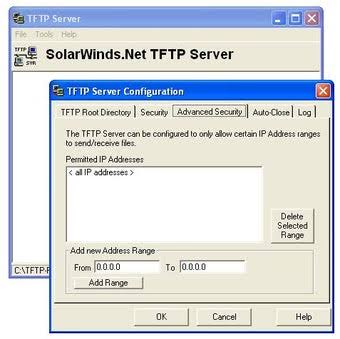
The SolarWinds TFTP Server represents the gold standard for reliable, multi-threaded configuration backups and bulk firmware transfers. Engineered for low memory utilization, it features robust IP address ranges and subnet-based filtering to secure unencrypted UDP transmissions.
- Simultaneous Multi-Client Transfers: Multi-threaded pipeline allows hundreds of network switches or routers to upload configurations concurrently.
- Granular IP Address Filtering: Enforces strict IP range restrictions or individual host blacklisting/whitelisting for administrative access.
- System Service Integration: Can run continuously in the background as a native Windows Service without requiring active user sessions.
5. Spiceworks TFTP Server
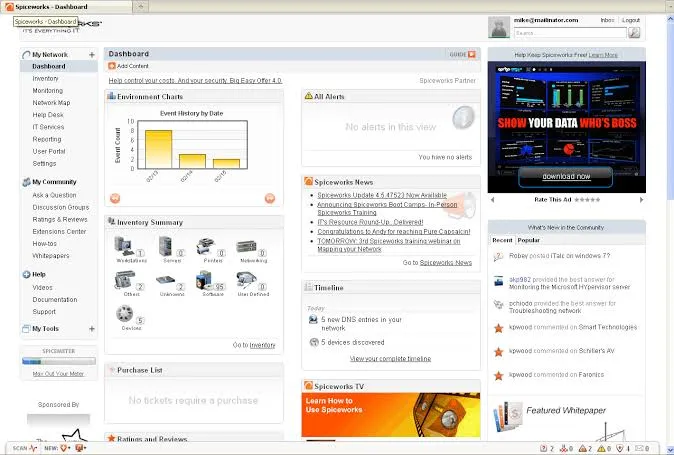
Spiceworks provides a highly visual, network-centric TFTP solution that allows engineers to execute configuration backups and restore critical firmware images. Its unique side-by-side configuration analysis enables rapid tracking of changed variables across devices.
- Side-by-Side Version Diffing: Built-in visual interface designed to compare device configuration files to spot changes instantly.
- Integrated Firmware Pushing: Facilitates bulk scheduling and deployment of system updates to dozens of client endpoints simultaneously.
- Centralized Diagnostic Console: Tracks operational metrics and alerts on critical transfer failures across local area networks.
Frequently Asked Questions
What is the maximum file size limit for standard TFTP transfers?
Under the original RFC 1350 specification, the limit is 32MB due to the 16-bit block counter. However, modern implementations supporting blocksize option negotiations (RFC 2348) can easily scale file transfers up to 4GB.
Why is TFTP preferred over SFTP or HTTPS for network booting?
TFTP requires a very minimal memory footprint and no complex TLS/SSH handshakes. This simple structure allows basic boot ROMs (like PXE) to fetch bootstrap configurations prior to the operating system loading.
How can I secure TFTP traffic given that it lacks encryption?
Because TFTP sends data in plaintext, you should restrict its traffic to isolated management VLANs, enforce host-based firewalls, and use IP-binding limits to authorize only trusted devices.
Advertisement